Checkout
The main screen
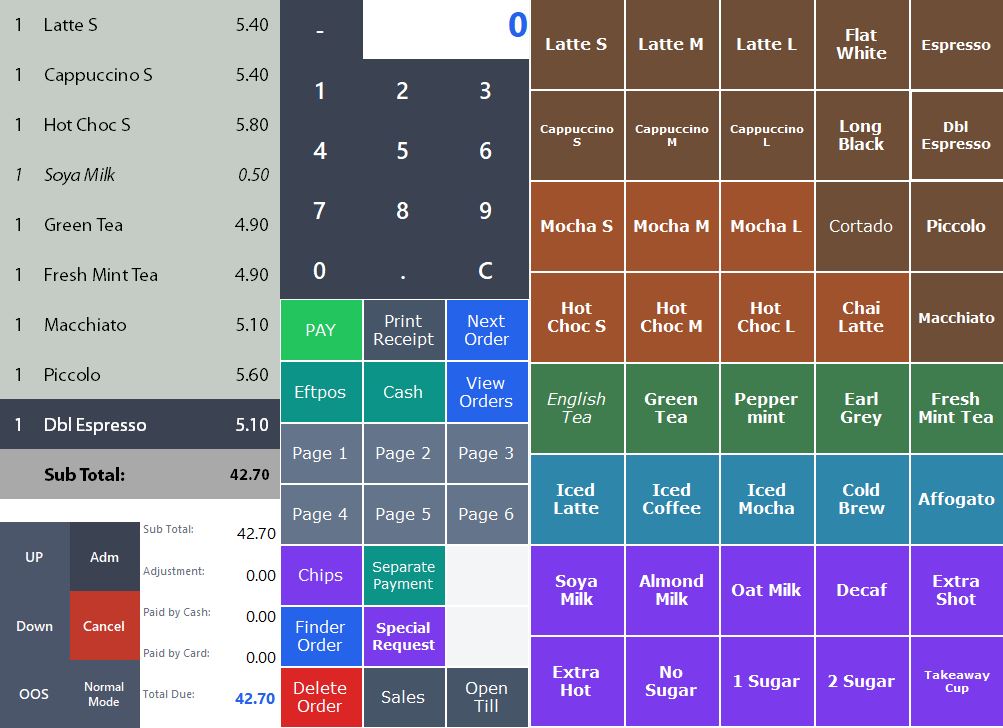
Tap a product tile and the line item appears instantly on the order list, with the subtotal updating as you go — no lag, even mid-rush.
Screens your staff actually use, all day, at the counter — built to take an order and take payment as fast as someone can say it.
Pay however suits you: $15/month subscription, or a one-off payment to own it outright.
Tap a product tile and the line item appears instantly on the order list, with the subtotal updating as you go — no lag, even mid-rush.
From the tap that starts an order to the payment that closes it.
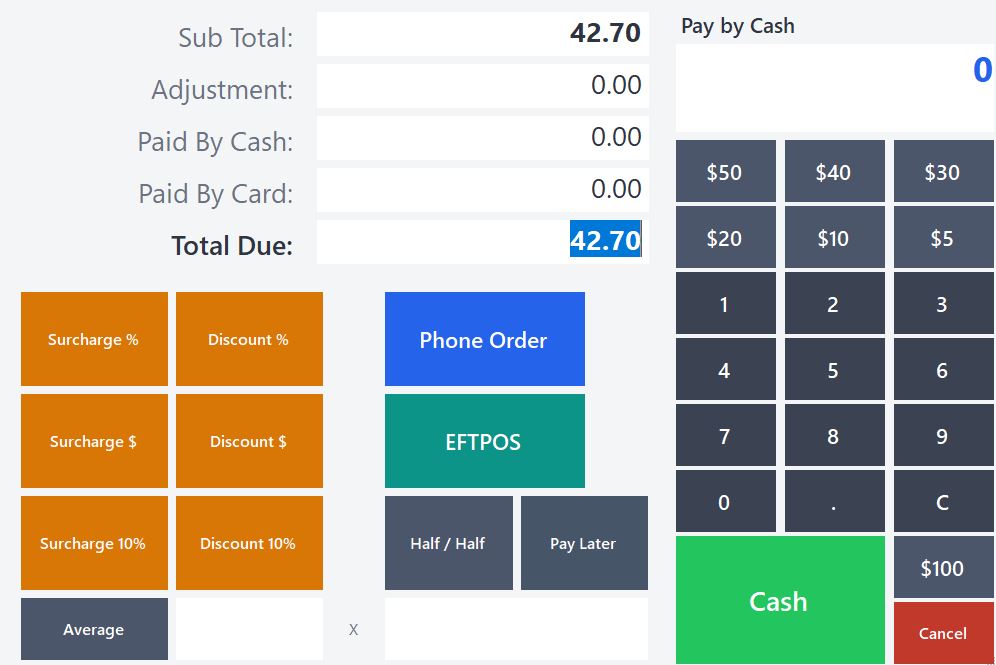
Cash with one-tap quick amounts, EFTPOS sent straight to the terminal, half/half split payment, pay-later, and one-tap surcharges or discounts — no mental maths at the counter.
A shop with thousands of SKUs doesn't fit on a page of buttons — so Supermarket Mode gives it a different way to check out.
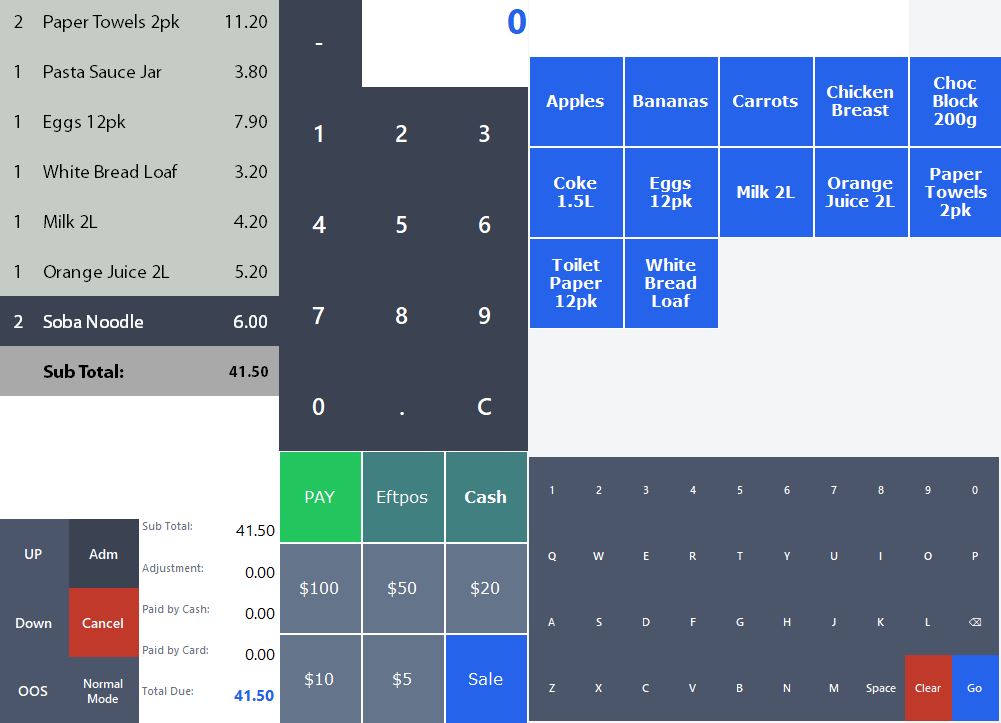
Search for anything in the catalogue, scan a barcode, or tap one of the everyday items pinned to the grid — built for a shop with far more SKUs than a menu ever has.
Flip a till into Supermarket Mode and the button grid becomes a live search box, so the catalogue isn't limited to what fits on a page.
Plug in a standard barcode scanner — no special setup or proprietary hardware. Scan an item and it's found and added to the order straight away.
Connect a weighing scale and LocalPOS reads the weight straight off it, pricing produce, deli, and bulk-bin items per kilogram without anyone doing the maths.
Scan a barcode that isn't in the system yet and LocalPOS offers to add it on the spot, so building out a big catalogue doesn't mean pre-loading every product first.
Running tabs and EFTPOS cash out, for venues where customers order round after round. More on LocalPOS for bars.
Open a tab under the customer's name, with the last 4 digits of their card if they leave it behind the bar. Add rounds all night and pay the whole tab at once.
One tap shows every open tab and what's owed, and LocalPOS warns you about any still open when you close the till.
Cash out on its own or added to a purchase, sent straight to the integrated Verifone terminal and counted in the end-of-night totals.
Payments taken on another EFTPOS machine are recorded as Other Eftpos, so the till still balances at close.
What's running behind the counter, and beyond it.
Product buttons, colours, and pages are set up to match your menu, and can be edited on the till itself by whoever's in charge that day.
Move between orders, find one from earlier, edit it before it's paid, or reprint a receipt after the fact — nothing gets lost mid-rush.
Free notes like "no sugar" sit alongside paid extras like an oat milk upcharge, so add-ons price themselves correctly every time.
A second display faces the customer with the running order, total, and change due, so there's never a "how much was that again?".
A standalone kiosk or a QR code at the table lets customers order and pay themselves, feeding straight into the same kitchen queue as the till.
Multiple terminals, one shared set of orders and settings — open a second till at the counter and it just knows what's going on.
Daily sales, till reconciliation, and an open-drawer/no-sale function for when the numbers just need checking, not calculating.
Each staff member gets their own login and password, so admin actions and end-of-day totals are always tied to the right person.
The terminal handles the card, PIN, and everything payment-related — LocalPOS only ever sends the amount to charge and reads back approved/declined. No card numbers pass through or get stored on the till.
We'll set up a demo with your own products and pricing.